Once you’ve selected your free banner and saved it to your computer, you’re ready to begin making it your own! We’ve found an amazing free website for photo editing! It’s totally free, very powerful, and online (no download). If you find a catch, let us know, because we can’t find one!
Use Pixlr.com For Your Etsy Banner
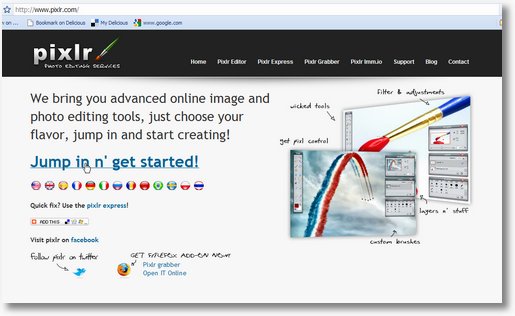
Click on the Jump in n’ get started link!
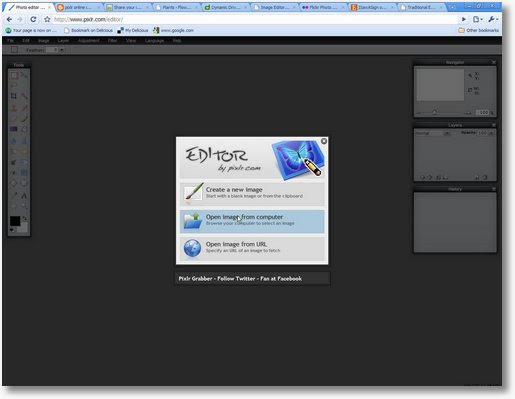
Click “Open Image From Computer”
You’ll need to know where you put the EverythingEtsy free banner on your computer.
I am liking the site here!
This is a great site with a lot of neat features!
Keep up the good work!!!
Hello, just found the site via some etsy teams and love it! So much help and valuable tips. Will keep coming back.
sowmya
Hello!
I am a great artist, but not a great computer geek! Your information has really helped me as I am getting ready to launch a new shop and was held up by the banner, etc.! I will visit here often!
Thanks again,
Debra B.
Thank you so much for this info. I have searched for a banner, but have never really liked one enough to purchase. My banner is a photo of the mountains next to my house. I can’t wait to get on the sight and add my shop name/info to it. Thanks again.
I love this website as so many helpful blogs and ways to help us Etsy shop owners ! Thank you guys very much !
Happy New Year and wishing great sales to all my Etsy buddies !
I love this site. I’ll be back all the time for tips and to offer some as I learn more. It’s super cute, very smart, and best of all…a community of people with shared interests. Well done.
Thank you for having FREE Etsy banners. Great tips and the tutorial made it easy.
Thanks for the banner! very helpful!
Thanks for all the great tutorial you have!
Omg, I just created my new banner with one of your Christmas templates!! I have been selling on Etsy now for over 3 years now and have always had someone else (a graphic designer on Etsy) to create the images I needed for my banner, logo, reserved and custom listings, for my Facebook pages and Twitter accounts, etc. I just was so uneasy about making my own and thought it would take me a long time to figure out. But even on my iPhone, I was able to download the Apple equivalent of Pixlr and just created my new Christmas banner in less than 15 minutes!! Thanks so much Tim and Kim!! You guys are the best!! 🙂 Next I will have to update my AWRDesigns Etsy shop banner!! Check out my new shop banner at http://www.TheLanyardNecklace.Etsy.com. Love it!!! 🙂
Just awesome! Thanks for letting me know!
~Kim